
Homelab Wazuh, Part 3: The Cascade, the Fix, and Four Active Agents
The climax of the Wazuh homelab series. deploy-wazuh.yml meets reality, eight bugs cascade across two evenings, the UDM Pro starts forwarding live syslog, three agents enroll across Linux, Pi, and Apple Silicon, and the captain pattern that orchestrated all of it gets an honest retrospective.
4 agents. 12 bugs. 1 stack. deploy-wazuh.yml fired 14 times across two evenings before the manager, the indexer, and the dashboard agreed to run at the same time.
That is the scoreboard. None of those numbers were in the plan. They surfaced exactly where the plan handed off to a real Wazuh stack on a real piece of hardware running real network traffic.
This is post 3 of three. Post 1, "Homelab Wazuh, Part 1: Why Wazuh, and the 29-Task Plan Before Any Code", was the why and the planning. Post 2, "Homelab Wazuh, Part 2: The Nine-Wave Deploy and First Contact With the Live Server", was authoring the IaC and bootstrapping the live HUNSN. This post is the climax: the Wazuh stack stand-up, three agent enrollments across three operating systems, the UDM Pro syslog wiring that needed a manual UI walkthrough, and a closing reflection on what Claude Code's captain pattern actually bought me.
Series Context
This is the third and final post in the Homelab Wazuh Deployment series. The planning post laid out the spec, the four-platform evaluation, and the 29-task plan with five pre-execution patches. The bootstrap post covered Waves 0 through 5, including the Multipass dry-run, the sudo-rs surprise, and the bootstrap that finally landed clean. This post picks up at Wave 6 and runs through the final state.
The Cascade, In One Picture#
Eight bugs surfaced on the manager and indexer side. Each fix unlocked the next. Read top to bottom.
Swipe to see the full diagram · Tap to enlarge
I am going to walk through each one, because the order matters. A SIEM is a stack of layered guarantees: certs first (nothing connects without them), then ports (the listener has to be alone on the wire), then auth (the API has to accept what the operator brings), then content (the decoders and rules have to parse what the agents send). Bugs surfaced in exactly that order. That is not a Wazuh thing. That is a complex-system thing. What helped here was that the captain pattern (more on it at the end) kept track of which bug was fixed and which was still open across multiple sessions.
Bug 1: The Cert Hostname Mismatch#
deploy-wazuh.yml fired. Compose stack came up. Filebeat on the manager could not talk to the indexer. The error was a TLS verify failure with a hostname mismatch:
x509: certificate is valid for wazuh.indexer, not wazuh-indexer
The plan and the upstream Wazuh docs use a dotted hostname convention (wazuh.manager, wazuh.indexer, wazuh.dashboard). The certs the cert tool minted matched that convention. My docker-compose.yml, on the other hand, named the services with hyphens (wazuh-manager, wazuh-indexer). Compose registered DNS aliases under the hyphenated names, the manager looked up wazuh-indexer, and TLS rejected the cert because the SAN list said wazuh.indexer.
The fix is unceremonious: rename the compose hostnames to the dotted form, and add network aliases so anything that still resolves the hyphenated name lands on the same container.
services:
  wazuh.manager:
    hostname: wazuh.manager
    networks:
      wazuh:
        aliases:
          - wazuh-manager
  wazuh.indexer:
    hostname: wazuh.indexer
    networks:
      wazuh:
        aliases:
          - wazuh-indexer
Filebeat reconnected. Manager stopped flapping.
Wazuh's hostname convention is dotted, not hyphenated
Cert tool output uses dots. Compose convention uses hyphens. They do not meet in the middle. Match the cert. The error message points at it but only if you read the SAN list.
Bug 2: UDP 514 Was Already Spoken For#
Before bug 1's fix even merged, compose itself failed to come up:
Error: address already in use 0.0.0.0:514/udp
The manifest had wazuh-manager binding 0.0.0.0:514:514/udp. The HUNSN host was already running rsyslog, listening on UDP 514 to ingest UDM Pro syslog. That was a conscious choice from the planning post: rsyslog terminates on the host, writes to a rotated file, and the Wazuh agent on the host tails the file. Manager does not listen for syslog directly.
I had pasted the 514/udp port mapping into the manager service from a stock Wazuh compose example and forgotten to delete it. Real ingest path:
UDM Pro -> rsyslog (host UDP 514)
       -> /var/log/udm-pro.log
       -> siem-host local agent (logcollector tail)
       -> manager TCP 1514
Drop 514/udp from the manager's ports list. Compose came up.
Bug 3: The Wazuh API Hates Random Passwords#
The manager's create_user.py runs at first init to provision the API user. The Ansible role passed it the API password from the vault, which had been generated with the same openssl one-liner from post 2:
openssl rand -base64 48 | tr -d '/+=\n' | cut -c1-32
Result on this run: a 32-char alphanumeric string. No special characters. The script rejected it:
Error 5007 - Insecure user password provided
The Wazuh API requires upper, lower, digit, and special. The OpenSearch admin password requirement is similar. The vault rotation pattern needed an explicit prefix to satisfy the policy regardless of what openssl rand decides to emit on a given draw:
echo "Aa1!$(openssl rand -base64 48 | tr -d '/+=\n' | cut -c1-32)"
Rotated the vault, re-ran. create_user.py accepted the password.
Pre-prefix Wazuh API passwords with character-class proof
Aa1!<random> guarantees the policy passes on any random draw. Lazy, ugly, deterministic, and saves a round trip. The extra four chars do nothing for entropy and everything for compatibility.
Bug 4: The Security Index Was Empty#
Manager up. Filebeat connecting. Indexer running. Filebeat logs filling with:
503 Service Unavailable: OpenSearch Security not initialized
OpenSearch (and the Wazuh indexer fork) ships with a .opendistro_security system index that holds the role mappings, internal users, and TLS configuration the security plugin needs to do anything. After every docker compose down -v (which wipes named volumes) that index has to be re-initialized from disk. The bundled securityadmin.sh does it:
docker exec wazuh.indexer \
  bash /usr/share/wazuh-indexer/plugins/opensearch-security/tools/securityadmin.sh \
  -cd /usr/share/wazuh-indexer/opensearch-security/ \
  -icl -nhnv \
  -cacert /usr/share/wazuh-indexer/certs/root-ca.pem \
  -cert /usr/share/wazuh-indexer/certs/admin.pem \
  -key /usr/share/wazuh-indexer/certs/admin-key.pem \
  -h localhost
Run it once after the first stack start. Filebeat clears. Indexer reports green.
This one is not yet automated in deploy-wazuh.yml. It is on the enhancements doc as a follow-up. Today it is a single command in the runbook, and you only run it on a fresh stack, so the trade is fine for a homelab. If this were production I would write the handler.
Bug 5: The Healthcheck Was Lying#
The manager container's docker healthcheck was reporting unhealthy on every start:
healthcheck:
  test: ["CMD", "curl", "-fk", "https://localhost:55000/"]
  interval: 30s
  timeout: 10s
  retries: 3
The Wazuh API's root endpoint returns 401 Unauthorized by design. The API only accepts JWT-authenticated requests, and the root path is no exception. curl -f treats 401 as a failure, so the healthcheck never passed even though the API was up and serving auth challenges correctly.
The fix is a less-strict probe: any 2xx-5xx is proof the listener is up, which is all docker needs to gate dependents.
healthcheck:
  test:
    - CMD-SHELL
    - >-
      code=$$(curl -ks -o /dev/null -w "%{http_code}"
      https://localhost:55000/);
      [ "$$code" -ge 200 ] && [ "$$code" -lt 600 ]
The Ansible "Wait for Wazuh API to be ready" task in deploy-wazuh.yml had the same shape of bug. It was firing a GET / and asserting 200. Rewrote it to actually authenticate and assert a token comes back:
- name: Wait for Wazuh API to be ready
  uri:
    url: "https://127.0.0.1:55000/security/user/authenticate"
    method: POST
    user: "wazuh-wui"
    password: "{{ wazuh_api_password }}"
    force_basic_auth: true
    validate_certs: false
    status_code: 200
  register: auth_resp
  until: auth_resp.json.data.token is defined
  retries: 30
  delay: 10
Now both the docker healthcheck and the Ansible probe are testing the actual contract: can you authenticate and get a token. That is what the operator and the dashboard care about.
Bug 6: The ISM Call Came From the Wrong Host#
Task: apply the OpenSearch ISM policy that retires wazuh-alerts-* indices after 30 days.
The Ansible task posted JSON to the indexer's REST API. Failure mode:
Connection refused: 127.0.0.1:9200
The indexer binds 9200 to loopback only on siem-host (post 1's hardening invariant: nobody on the LAN talks directly to OpenSearch). The Ansible URI module, by default, runs on the controller. The controller is my Mac. The Mac's loopback is not the HUNSN's loopback.
The fix was a host-side run. Update the URL to https://127.0.0.1:9200/... and run the task on the target rather than the controller. In Ansible terms, that is delegate_to: 127.0.0.1 semantics with ansible_connection: local on the inner block, or equivalently the community.general.uri shipped over SSH and executed on the host. I used the latter for symmetry with the rest of the play.
- name: Push ISM policy to indexer (run on target)
  ansible.builtin.uri:
    url: "https://127.0.0.1:9200/_plugins/_ism/policies/wazuh_alerts_30d"
    method: PUT
    user: admin
    password: "{{ wazuh_indexer_admin_password }}"
    force_basic_auth: true
    validate_certs: false
    body_format: json
    body: "{{ lookup('file', 'ism-30d.json') | from_json }}"
    status_code: [200, 201]
ISM policy applied. New indices inherit the rollover.
Loopback bindings demand local execution
If a service is bound to 127.0.0.1 on a remote host, an Ansible URI task without delegation runs on the controller and tries to reach the service through the controller's loopback, which is the wrong machine. Either delegate to the target, or expose the service to the LAN (which defeats the binding). Local execution on the target is the right answer here.
Bug 7: The Decoder XML Got Rejected#
Manager came up clean. Indexer green. Dashboard responding. I dropped in the custom decoders:
/var/ossec/etc/decoders/0501-pihole-decoders.xml
/var/ossec/etc/decoders/0502-apcupsd-decoders.xml
Manager logged:
Invalid element in the configuration: 'decoder_list'
I had wrapped each decoder file's contents in a <decoder_list> parent element. That convention shows up in some upstream community decoder repos as a stylistic grouping, but Wazuh's analysisd does not parse it. Decoder files are flat lists of <decoder> elements at the top level. Strip the wrapper:
<!-- Before: rejected -->
<decoder_list>
  <decoder name="pihole">
    <prematch>...</prematch>
  </decoder>
</decoder_list>

<!-- After: accepted -->
<decoder name="pihole">
  <prematch>...</prematch>
</decoder>
analysisd reloaded. Decoders parsed.
Bug 8: The PCRE2 Switch#
Manager started up clean for about three seconds and then died:
Syntax error on regex: '^\s*(\d+)\s+(\w+)\s+'
The Pi-hole and apcupsd decoders use PCRE2 shorthand: \w for word chars, \s for whitespace, \d for digits. Wazuh's default OSSEC regex engine is the older homegrown engine (faster, simpler, and predates PCRE in OSSEC). It does not support those shorthands. There are two options: rewrite the patterns in the older syntax ([a-zA-Z0-9_] for \w, etc.) or opt the regex into PCRE2 with an attribute.
The attribute is one character per regex. Rewriting was a hundred lines. Easy choice:
<decoder name="pihole-query">
  <prematch type="pcre2">^\d+ query</prematch>
  <regex type="pcre2">^(\d+)\s+query\[(\w+)\]\s+(\S+)</regex>
</decoder>
type="pcre2" on every <regex> and <prematch>. Manager restarted. analysisd clean. The decoders started catching live events.
PCRE2 is opt-in, not the default
If your decoders use \w, \s, or \d, mark the regex type="pcre2". Otherwise the OSSEC engine runs and rejects the syntax. The error message is good ("Syntax error on regex"), but the message points at the line, not the cause. Knowing the engine has two modes is the unlock.
After the Cascade: First Stack Up#
After bug 8's fix, the dashboard's API connections page reported the manager Online. Three containers healthy, indexer green, dashboard at https://10.0.0.210/ returning a 302 to /login.
| Wave | Bugs caught | Bugs deferred |
|---|---|---|
| Wave 5 (stack stand-up) | 8 | 0 |
| Wave 6 (UDM Pro syslog) | 1 (chmod) | 0 |
| Wave 7 (agent enroll Pi-hole) | 2 | 0 |
| Wave 8 (agent enroll Mac) | 2 | 0 |
| Wave 9 (dashboard wiring) | 1 (placeholder password) | 0 |
That table is honest. Wave 5 was the heavy one because it touched five surfaces at once: containers, certs, ports, auth, and content. Every wave after it touched fewer surfaces and produced fewer bugs.
The siem-host local agent enrolled and went active immediately. It tails /var/log/udm-pro.log for UniFi events and watches /var/log/apcupsd.events for UPS state changes. Both files were already populated from earlier work, so the agent had a backlog to chew through and shipped a few hundred events in the first minute.
Wave 6: Pointing the UDM Pro at the SIEM#
The local agent had a log file to read. The log file did not have anything new in it because nothing was forwarding live UDM Pro syslog yet. That was the next surface to wire up.
I checked the UniFi MCP tool surface first. I have all 86 UniFi MCP network tools loaded as part of homenet-document and friends, and I expected to find set_remote_logging or similar. There is no syslog endpoint exposed by the MCP. UniFi's API does not surface remote-logging configuration. So this was a manual UI walkthrough.
The path in the UniFi Network application:
Settings -> CyberSecure -> Traffic Logging -> Activity Logging (Syslog)
Configuration:
- Type: SIEM Server
- Server: 10.0.0.210
- Port: 514
- Categories enabled: Gateway, Access Points, Switches, Admin Activity, Clients, Critical, Devices, Security Detections, Triggers, Updates, VPN, Firewall Default Policy. Twelve categories total.
- Debug Logs: off (massive volume, low signal)
- Netconsole: off (different format, no decoders for it)
Saved. Within twenty seconds, tcpdump -i any port 514 on siem-host was showing live UDM Pro packets. The host's rsyslog was writing them to /var/log/udm-pro.log.
And then the wazuh-agent could not read the file.
The Permissions Surprise#
/var/log/udm-pro.log was getting created by rsyslog at mode 0640, owner syslog:adm. That is the Debian/Ubuntu default. The wazuh-agent runs as the wazuh user and is in the wazuh group only. No read access.
First fix attempt: add the agent's user to adm:
sudo usermod -aG adm wazuh
sudo systemctl restart wazuh-agent
That should have been the end of it. Group membership granted, restart the service, supplementary groups picked up. Except it was not. The agent restarted and immediately logged that it could not read the file. id wazuh from a fresh shell showed adm in the list. id on the running logcollector PID, via cat /proc/<pid>/status, did not.
Wazuh's control script appears to clear supplementary groups during privilege drop. Whatever the mechanism, the running process was effectively only in the wazuh group, even after a restart. There is probably a config knob for this, and there is also a more invasive approach via setfacl, but I made a different call.
The deployed fix is to widen the file mode to 0644:
sudo chmod 0644 /var/log/udm-pro.log
The file holds UniFi syslog events on a LAN-only host with one operator. It is not sensitive in the way /var/log/auth.log is sensitive. The accept-the-trade-off cost is small. The catch is logrotate, which would create the next rotated file at 0640 and undo the fix:
/var/log/udm-pro.log {
    rotate 7
    daily
    missingok
    notifempty
    create 0644 syslog adm
    sharedscripts
    postrotate
        /usr/lib/rsyslog/rsyslog-rotate
    endscript
}
Updated create 0640 syslog adm to create 0644 syslog adm and the rotation survives.
0644 is acceptable here, not in general
This is a LAN-only homelab with one operator and no compliance scope. The deferred-hardening doc in the repo lists "tighten /var/log/udm-pro.log to 0640 with setfacl-based agent grant" as a re-tighten target. It is on the list. It is not blocking the deploy.
End-to-End, Live#
I picked the level-10-alerts page in the dashboard and watched. About four minutes after the syslog forwarding turned on, the first UniFi IPS hit landed:
UniFi IPS Threat Detected: ET CINS Active Threat Intelligence Poor Reputation IP group 64 level 10, rule 100130 (custom pihole/unifi ruleset) source: 10.0.0.x, dest: an external IP, blocked by UDM Pro firewall
That is the proof-of-success quote I wanted. The UDM Pro was already detecting and blocking the threat. The new piece is that the SIEM saw it, parsed it, raised it to level 10, and is now retaining it for 30 days alongside everything else from the network.
Wave 7: The Pi-hole Agent#
The Pi-hole runs on a Raspberry Pi 4 at 10.0.0.227. ARMv7l (32-bit ARM, not aarch64). Wazuh ships an armhf agent, so the agent itself is fine. The wrinkles were on the Ansible side.
The play, deploy-agent-pihole.yml, does three things: backs up /etc/pihole, installs the agent, registers it with the manager. The first run failed at step one.
Bug: tarfile on armv7l Is Slow#
The play used community.general.archive with format: gz. Under the hood, that module uses Python's tarfile. On the Pi, with /etc/pihole weighing 2.1 GB (mostly FTL query history database files), tarfile on armv7l ran for forty-five minutes before I killed it.
The native tar binary is orders of magnitude faster on this hardware. Switched to a shell command, with two flags worth calling out:
- name: Back up /etc/pihole (exclude FTL query history)
  ansible.builtin.shell:
    cmd: >-
      tar --exclude='*.db' --warning=no-file-changed
      -czf /tmp/pihole-backup.tgz /etc/pihole
  args:
    creates: /tmp/pihole-backup.tgz
--exclude='*.db' skips FTL's query database (regenerable from logs and not part of the config we care about). --warning=no-file-changed suppresses the warning rsyslog will throw when files change during the tar. Backup time went from forty-five minutes (and counting) to about eight seconds. Roughly 99 percent size reduction.
Bug: The Recursive Jinja Loop#
After the agent installed, it would not start because ossec.conf was malformed. The role rendered it from a Jinja template, and the template referenced wazuh_agent_localfiles, which had this in roles/wazuh_agent/vars/main.yml:
wazuh_agent_localfiles: "{{ wazuh_agent_localfiles }}"
That is a Jinja recursion. Ansible eventually gave up with a TemplateRecursionError. The variable was already declared at the play level (with the actual list of localfiles), and the role-vars line was a redundant override that pointed at itself.
Fix: delete the role-vars line. The play-level variable was already in scope when the role ran.
Enrolled#
Re-ran the play. Agent registered. Dashboard shows:
002 pi-hole-host raspbian 10.0.0.227 active
DNS query events flowing through Pi-hole's syslog into the manager's decoders.
Wave 8: The Mac Agent (Apple Silicon)#
The Mac is the only macOS endpoint on the network, an M-series Mac mini at 10.0.0.187. The Wazuh agent ships an arm64 macOS package, so the architecture is fine. The enrollment was not.
I wrote a one-shot install script at tests/install-mac-agent.sh. It downloads the .pkg from the Wazuh release CDN, runs installer -pkg ... -target /, reads the authd PSK from the macOS Keychain (same wrapper pattern as the vault password), and registers with the manager. Three attempts.
Attempt 1: Invalid Request for New Agent#
ERROR: Invalid request for new agent
The agent name was Workstation.local. macOS appends .local (the mDNS domain) to the hostname by default. Wazuh's authd uses the agent name in URL paths internally and the dot in .local gets parsed as a path separator. Authd rejects.
Attempt 2: Strip the Dot, Lowercase#
Updated the script:
AGENT_NAME=$(hostname -s | tr '[:upper:]' '[:lower:]')
# now: workstation
Same error. Same response. So the dot-in-the-name was real, and the lowercasing was a good hygiene step, but it was not the only thing biting.
Attempt 3: Drop the PSK Flag#
Looked at the agent-auth invocation. The script passed -P "$AUTHD_PSK" to use a pre-shared key. The manager has <use_password>no</use_password> in ossec.conf, so authd is operating in unauthenticated-enrollment mode (with IP allowlist as the gate). On Linux, agent-auth -P against a no-password manager is harmless: the flag is ignored.
On macOS arm64, the same flag breaks the enrollment. The macOS agent-auth on Apple Silicon interprets the PSK protocol differently than the Linux build, and an unexpected -P corrupts the registration request. Dropped the flag:
/Library/Ossec/bin/agent-auth \
  -m 10.0.0.210 \
  -A "$AGENT_NAME"
# no -P
Re-ran. Authd response:
Valid key received
Agent registered. Dashboard:
003 workstation darwin 10.0.0.187 active
Apple Silicon Wazuh agent gotchas
Lowercase the hostname, drop the trailing .local, and do not pass -P against a no-password manager. The macOS arm64 agent-auth is not bug-for-bug compatible with the Linux build on the PSK protocol, and the failure mode is silent on the manager side.
Wave 9: The Placeholder Password#
After the Mac registered, I refreshed the dashboard's API Connections page. Manager status: Offline.
The manager was not actually offline. The dashboard could not authenticate to it. The dashboard's wazuh.yml config file inside the dashboard container had:
hosts:
  - default:
      url: https://wazuh.manager
      port: 55000
      username: wazuh-wui
      password: CHANGE_ME_API_PASSWORD
CHANGE_ME_API_PASSWORD. A placeholder string committed straight to the source tree. This was on me. The Task 10 worker that authored the dashboard config had used the literal CHANGE_ME_API_PASSWORD so gitleaks would not flag a real-looking secret on the source path. The plan said the deploy would substitute the placeholder with the vault value at sync time. The deploy did not actually have that step.
Added an ansible.builtin.replace task to the role:
- name: Substitute API password placeholder in dashboard wazuh.yml
  ansible.builtin.replace:
    path: /usr/share/wazuh-dashboard/data/wazuh/config/wazuh.yml
    regexp: 'CHANGE_ME_API_PASSWORD'
    replace: "{{ wazuh_api_password }}"
  no_log: true
  notify: restart wazuh dashboard
Restarted the dashboard. API Connections green.
There was one straggler: the dashboard's "Check updates" button still threw 401. Cause was a cached failure from before the substitution. Clicking "Check updates" forced a fresh request, which now succeeded with the substituted password. Resolved without code.
End State#
Swipe to see the full diagram · Tap to enlarge
Four agents, all active. Manager 4.12.0. Every OS variant on the home network represented:
| ID | Hostname | OS | IP | Source |
|---|---|---|---|---|
| 000 | wazuh.manager | amzn | container | manager self-monitoring |
| 001 | siem-host | ubuntu | 10.0.0.210 | UDM Pro syslog tail + apcupsd |
| 002 | pi-hole-host | raspbian | 10.0.0.227 | Pi-hole DNS events |
| 003 | workstation | darwin | 10.0.0.187 | macOS endpoint |
ISM policy active: wazuh-alerts-* rolls over daily, deletes after 30 days. Dashboard at https://10.0.0.210/, accessible from the LAN or via the UDM Pro's WireGuard server. Real UDM Pro IPS events firing alerts in single-digit-minutes after they happen. Pi-hole's blocked-domain events landing as informational entries. Mac auth and FIM events landing on every login and every file change in the surveilled paths.
The thing I wanted at the start of post 1 (SIEM-grade visibility across the home LAN, no SaaS) is the thing I have at the end of post 3.
On Claude Code As Orchestrator#
This is the section I have been planning since post 1. Three posts in, the AI tooling story is worth telling honestly, and not as a sales pitch.
The Captain Pattern Was the Unlock#
The single accountable session that owned the whole plan, decided the gates, and dispatched parallel workers under strict file-collision rules: that was the unlock. Not the parallelism. Not the model. The structure.
Five plan patches before any code ran (post 1). A Multipass dry-run that caught two real bugs before the live box (post 2). The 8-bug cascade in this post that resolved in the right order. None of that was the model being clever in the moment. All of it was the captain pattern enforcing: read the plan, write a wave-end memory, do not parallelize workers whose outputs collide, never let a worker touch the live server without a gate. A junior engineer with a checklist could have run this play. Claude Code happened to be the engineer with the checklist.
Plan Mode Plus Parallel Explore Was the Highest-Leverage Move#
Twelve minutes of plan-mode review with three Explore agents fanning out caught five distinct defects that would each have surfaced during deploy and cost an afternoon apiece. That is not a cool demo; that is a measurable ROI. The token cost was negligible. The downside risk was zero (plan mode cannot write).
I am now structurally suspicious of any plan that has not been read back to me by a fresh model in plan mode. The cost is twelve minutes. The benefit is occasionally five hours.
The Cascade Was a Complex-Systems Property, Not a Tool Property#
Eight bugs in a chain is what happens when a stack with five layered guarantees meets reality for the first time. That is true regardless of who is at the keyboard. What Claude Code added: I never lost track of what was fixed versus what was deferred across compactions. Vector memory remembered the sudo-rs fix from post 2 when bug 5's healthcheck surfaced. The orchestration plan file held the wave state across two evenings of work. The auto-memory MEMORY.md file held the project-specific commands that I needed to reach for at 11 PM on the second evening.
Without that triad (vector + auto + plan file), I would have been re-learning my own decisions every time the context window rolled.
Honest Counterweights#
The captain pattern is not free. Two things to call out, because pretending otherwise is the pitch I am trying not to make.
In the moment, Claude Code makes mistakes. It gets distracted by tool-use reminders, it sometimes repeats a step that already succeeded, and on a long enough session it will occasionally lose track of which file it owns. The captain pattern is what catches that. Without the structure, the model wanders. With the structure, it does not. The point is the structure does the work, not the model alone.
Writing the post-mortem after the fact tidies up the chronology. The 8-bug list above reads cleanly because I went back and ordered it. In the moment, bugs 4, 5, and 6 surfaced concurrently across two evenings. The order in the diagram is the dependency order, not the discovery order. That is the right way to present the lesson, and it is also how every retrospective ever written makes itself look smarter than the work felt.
The Deferred-Hardening Choice Was Deliberate#
Post 2 covered the decision to skip the hardening role on Wave 5. The same logic applied through Waves 6-9: every bug we hit had two possible causes (playbook or platform), and adding "did UFW just block this port?" as a third possible cause would have slowed every fix.
That choice is documented three places. The plan file (docs/plans/wazuh-homelab-plan.md) has the rationale at the patch level. Vector memory has it tagged wazuh, homelab, hardening-deferred. The new file docs/plans/hardening-deferred.md has the explicit re-tighten steps and the trigger conditions for each one. That last one matters: a future Claude Code session, when I am no longer paged in, can read the file and understand "do not propose disabling sshd password auth, the user has been clear about why."
The Series Itself Was the Wrap-Up#
/blog-post invoked three times against the project memory, the orchestration plan, and the runbook. Three backlog drafts, each one the captain orchestrating writer plus voice plus editor plus UX plus a validation script. The infographic and slide-deck step is intentionally in the user's separate backlog (NotebookLM-based, not every post needs it).
Three posts is also the right shape for this material. Post 1 was decisions. Post 2 was authoring. Post 3 was deploy. Each one stands alone for a reader who lands on it directly. Each one points forward and backward to the others.
What's Next#
The stack is operational. The next moves live in two backlog files, both linear, both prioritized.
docs/plans/enhancements.md lists the upgrades. Tier 1: vulnerability scanning module (CVE feeds against agent-package inventory), VirusTotal integration for IOC enrichment, file integrity monitoring on the Mac for /etc and /Applications. Tier 2: custom dashboards (Pi-hole blocked-domains-by-client, UDM Pro top talkers by category), a Wazuh MCP server so Claude Code can query alerts directly, a real TLS cert from the home CA on the dashboard. Tier 3: things I want but have not decided yet (NotebookLM weekly digest of alerts, Slack webhook on level-12+).
docs/plans/hardening-deferred.md is the security-debt plan. UFW with the port allow-list. fail2ban dashboard jail flipped to enabled. sshd to key-only with the lockout-recovery procedure documented. Password rotations including the dashboard admin password that briefly appeared in the deploy transcript. Each item has a precondition (what has to be stable before we tighten) and a verification step (what we check after).
The BIOS auto-power-on plus a pull-the-plug UPS test is also still on the to-do list. Same hardware, same room, fifteen minutes of work, and I have not done it. That is a reminder that the nice-to-haves do not get done without a forcing function.
Closing#
The homelab is more visible now than any SaaS option I evaluated would have been. UDM Pro's own console shows me a slice. Pi-hole's admin shows me a different slice. The Mac shows me its own logs. Wazuh shows me all of them, in one place, indexed, retained for thirty days, with rules that fire when the slices line up in interesting ways. That last property is the one a SIEM exists to deliver, and it is the one nothing else on the network was giving me.
The planning post said the goal was correlation. The bootstrap post said the goal was a clean apply. This post says the goal is a working dashboard with real events flowing. All three have happened. The repo is homelab-wazuh. Still private until the redaction pass on LAN IPs and decoder fixtures lands. The pattern is portable: spec, then plan, then plan review, then captain-orchestrated implementation, then a Multipass gate, then live deploy with a second SSH session open, then enrollment, then a retrospective that orders the bugs in dependency form rather than discovery form.
That is the series. Thanks for reading along.
Weekly Digest
Get a weekly email with what I learned, summaries of new posts, and direct links. No spam, unsubscribe anytime.

Related Posts
Why a security engineer running a small home network picked Wazuh over Splunk, Elastic, and Graylog, what hardware caught the job, and the 29-task implementation plan that went through 5 patches before a single playbook ran against the target server.
How a captain-orchestrated, nine-wave Ansible build went from clean repo to bootstrap-applied on a live HUNSN, including a sudo-rs surprise, a vault leak that demanded an immediate panic-rotate, a group_vars file shadowed by a directory of the same name, and a Multipass dry-run that caught two real playbook bugs before they could touch production.
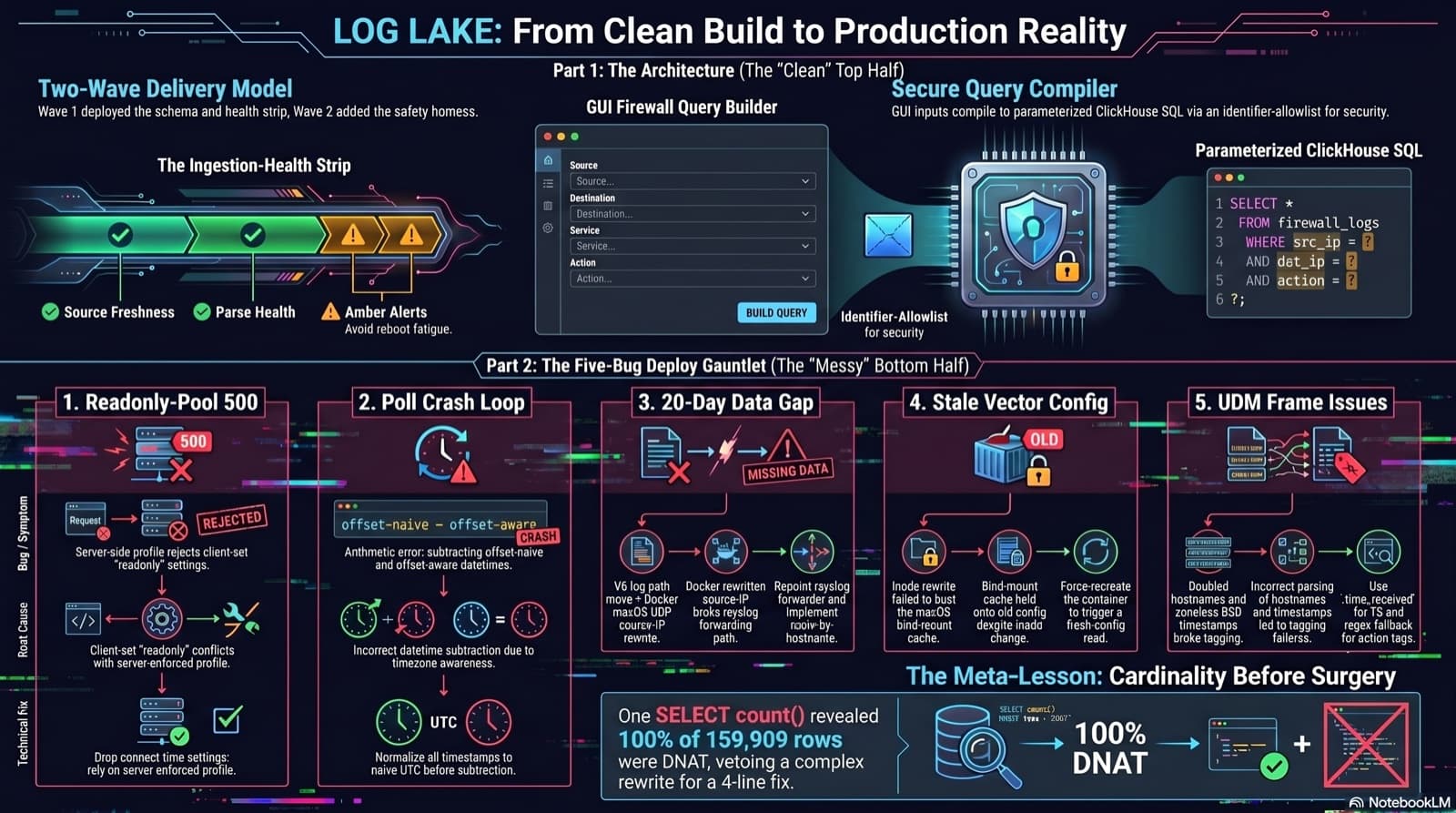
Home Network Mission Control: The LOG LAKE Panel, Five Deploy Bugs, and a Vetoed Bytes-Codec Rewrite
Part 6 of the home network dashboard build. The LOG LAKE panel ships a SIEM ingestion-health strip and a GUI firewall query builder that compiles to parameterized ClickHouse under the hood. One PR, two waves, 1193 backend tests at merge. Then deploy day on the live Mac mini produced five production-only bugs in a single afternoon: a readonly-pool 500, a timezone-mixed poll crash that had been firing every five minutes for hours, a 20-day-silent Pi-hole pipeline (two layers stacked), a Vector container reading a stale bind-mounted config, and a UDM doubled-hostname frame that silently broke action derivation for 159,909 rows. The meta-lesson is that the proposed fix for the last one was an invasive Vector source rewrite that the persona team vetoed in favor of an operator toggle and a four-line MV recreation.
Comments
Subscribers only — enter your subscriber email to comment